Complete checkout
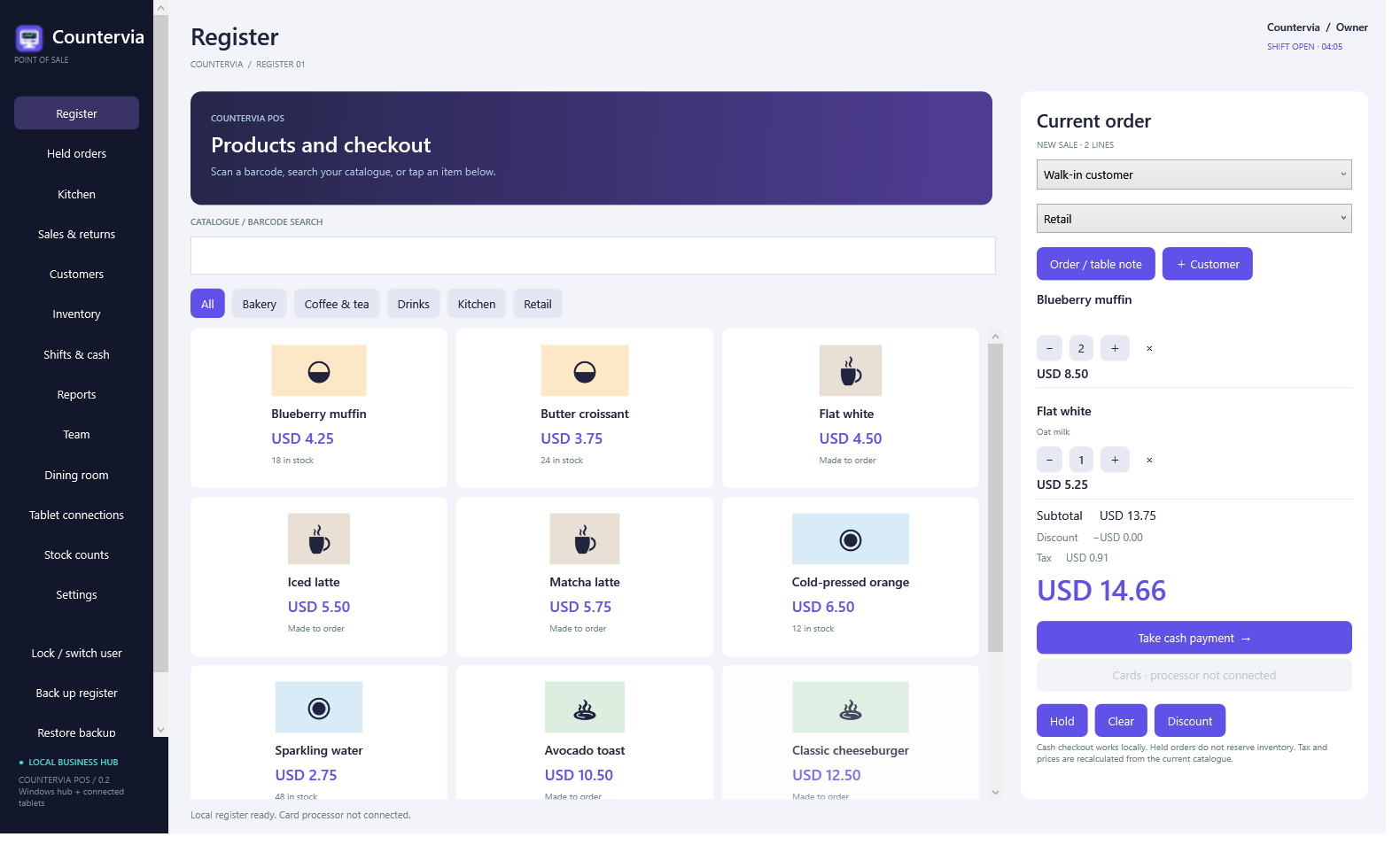
Build a cart, calculate change and issue a customer receipt.
COUNTERVIA POS / WINDOWS + ANDROID
Take cash payments, issue receipts and track products, shifts and sales on Windows and connected Android registers.
$79 / location / month
Plus $299 one-time setup and training. USD, before taxes.
Buy Countervia POS →Windows and Android downloads after payment.
BUILT FOR YOUR WORKFLOW
Build a cart, calculate change and issue a customer receipt.
Keep sales and stock records in the same business database.
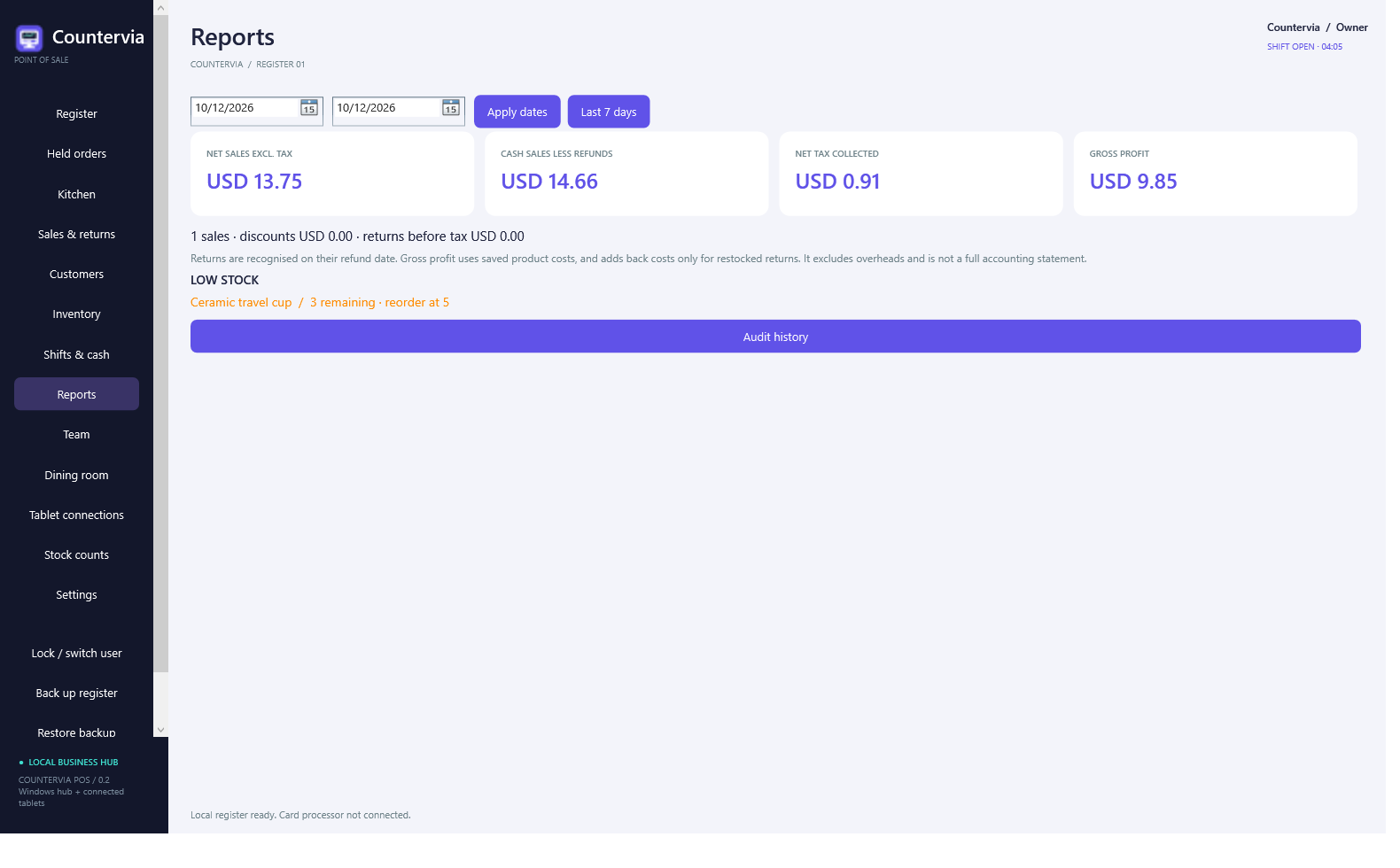
Review sales, cash movements and shift reconciliation.
SEE THE SOFTWARE
YOUR POS PLAN
$79 / location / month
Plus $299 one-time setup and training.
$378 due at signup, then $79 per month. USD, before applicable taxes.
Software only. No hardware is included. Setup covers software setup and training.
Checking checkout availability…
Hardware, payment-processing fees, custom integrations, data migration, additional devices and locations are quoted separately.
Includes one Windows register and up to three connected Android cash registers. Android devices connect to the running Windows POS over your private network. Card payment processing is not connected. No Order or Warehouse subscription is required.
Stripe confirms your purchase and returns you to Countervia. Download the Windows installer and Android app for this product, then contact counterviapos@gmail.com to arrange setup and training.
Your business database stays on your Windows hub. Connected tablets use your private network. Keep backups on a separate drive. Purchases and downloads require internet access.
Email counterviapos@gmail.com with your devices and workflow. We can confirm what is supported before you purchase.
THE REGISTER AND THE SERVICE TEAM
Cash checkout, receipts, sales history, stock and shifts. Restaurant mode includes dining-room tables. Kitchen monitoring requires the optional Order + KDS add-on. POS works without the Order add-on.
$79/location/month + $299 setup.
An optional, focused app for table and seat ordering, item instructions, extra rounds and live kitchen tickets. Kitchen staff can update preparation status from a connected display.
+$19/location/month. No extra setup fee. Up to three server and kitchen devices combined. Active POS required.
Order connects to your running Windows POS over your private network. Servers send orders; the kitchen follows the tickets; the register takes payment and closes the table.
POS + Order: $98/month + $299 setup. $397 across both purchases at signup, before applicable taxes. Hardware separate.
Order is a separate staff app, not a paid tab inside the POS. Download it after adding it to your POS subscription. You do not create a second business or buy another Windows hub.
After confirmed payment, download the installer and private subscription activation file. Import POS activation in the Windows register, then import Order activation in that same business if purchased. Staff find their nearby POS, receive one-time owner approval and sign in with their employee PIN.
Internet is required for initial activation and periodic subscription checks. Verified access lasts up to seven days during an internet outage. A confirmed inactive subscription stops operational access; business records are retained. Keep the Windows POS running for connected tablets and kitchen displays.
On Windows or Android Order, or Android POS, choose Find nearby POS, select your business and confirm the register fingerprint. Staff pair with their employee PIN once; the device remembers the trusted connection. The Windows POS must remain running. Private-network discovery must be allowed by Windows; guest Wi-Fi may block it. Connection-file import remains available.
COUNTERVIA POS 0.6.0
Choose your business type during Windows setup, or change it in Settings → Edit business settings. Connected Android registers use the same business type.
Register, barcode search, customers, receipts, returns, inventory, shifts and reports. Restaurant screens stay hidden.
Restaurant mode includes dining-room tables and open checks in the POS plan. Add Order + KDS for dedicated server ordering and live kitchen monitoring.
Use the core register, customer, receipt, sales and stock tools without restaurant screens. Specialized wholesale price lists, invoicing, appointments, dental records and legal billing are not included.
Order + KDS is optional: an additional $19 per location/month, with no additional setup fee. It requires an active POS subscription and restaurant mode and covers up to three server and kitchen devices combined. POS + Order + KDS totals $98 per month, plus the one-time $299 POS setup fee. USD, before applicable taxes.
Staff devices connect to the running Windows POS on the same private network. Find nearby POS, select the business and sign in with an employee PIN. The owner approves each new device once. No pairing code is needed in current versions. Paid features are enforced by the hub.
SOFTWARE ONLY · ALL COUNTERVIA PLANS
Every Countervia purchase is a software subscription. Windows computers, Android tablets, TVs, monitors, media players, payment terminals, receipt printers, cash drawers, barcode scanners, network equipment and other hardware are not included in any plan or setup fee. Customers must supply compatible hardware separately. Setup and training fees cover software setup and training only.
Payment processing and processing fees are separate. Buying Countervia software does not include a payment processor or terminal. Check device compatibility before purchasing.