Recipe cost and margin
Convert kitchen units, account for preparation yields and calculate ingredient cost per serving. Compare it with your menu price and target food-cost percentage.
COUNTERVIA STOCK / RESTAURANTS & BARS
Cost your recipes, review supplier price changes and record waste while the details are fresh. Countervia Stock works offline on Windows and Android.
See Stock pricing →$99 per location/month + $199 one-time setup. Sold separately. No other Countervia product required.
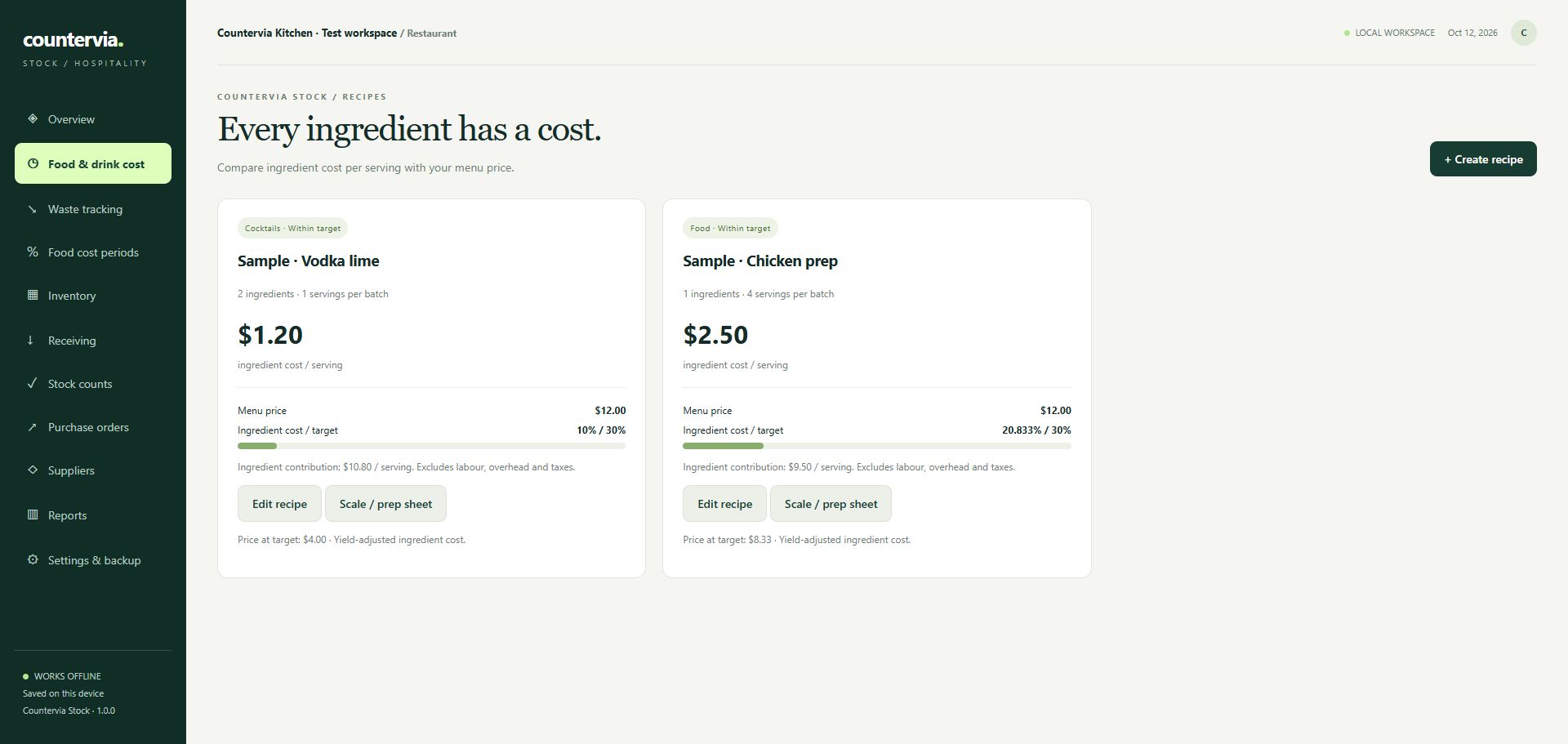
Actual application screen. Sample records are labelled.
Convert kitchen units, account for preparation yields and calculate ingredient cost per serving. Compare it with your menu price and target food-cost percentage.
Record spoilage, overproduction, preparation loss and returns. Review 7-day, 30-day or all-time waste at the ingredient cost recorded when it happened.
Enter physical stock values, purchases, transfers and net food sales for one period. Add recipe servings sold to compare actual consumption cost with an estimate based on captured recipe costs.
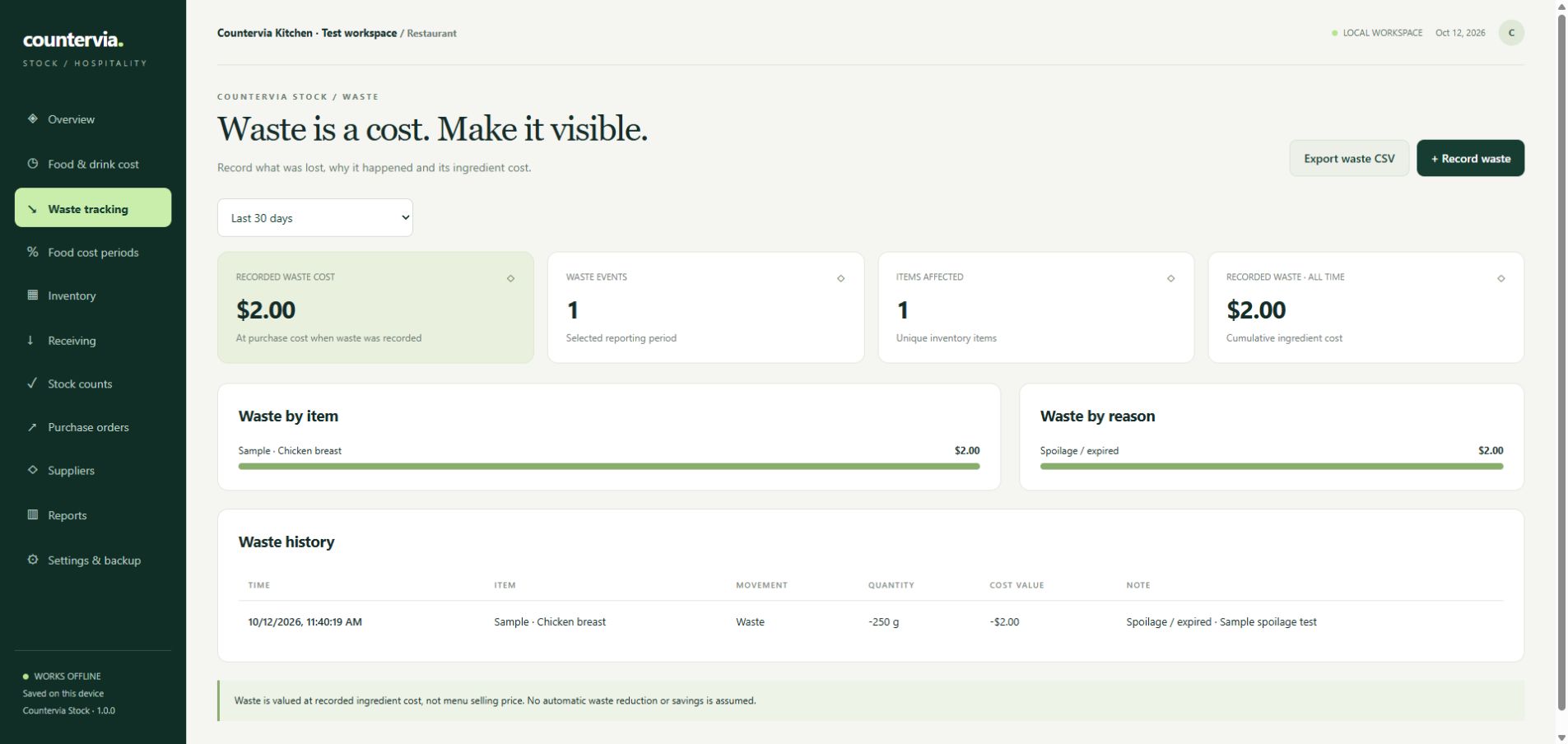
Actual waste-tracking screen with labelled sample records.
Install on a Windows 10/11 x64 computer or Android 8+ tablet. Each app can operate independently and stores its own workspace. Backup and restore transfers an entire workspace; it does not merge records or provide live sync.
Invoice entry and report sales data are manual. POS integrations, invoice recognition and multi-device synchronization are not included. Ingredient contribution excludes labour, overhead and taxes. Cost variance alone does not establish its cause.
$99 / location / month
Plus $199 one-time setup and training. $298 due at signup, then $99/month, before applicable taxes.
Software only. No hardware is included. Setup covers software setup and training.
Checking checkout availability…
Confirmed purchases receive Windows and Android downloads. Hardware, migration and custom integrations are quoted separately. Contact counterviapos@gmail.com to confirm device compatibility or arrange training.
SOFTWARE ONLY · ALL COUNTERVIA PLANS
Every Countervia purchase is a software subscription. Windows computers, Android tablets, TVs, monitors, media players, payment terminals, receipt printers, cash drawers, barcode scanners, network equipment and other hardware are not included in any plan or setup fee. Customers must supply compatible hardware separately. Setup and training fees cover software setup and training only.
Payment processing and processing fees are separate. Buying Countervia software does not include a payment processor or terminal. Check device compatibility before purchasing.
PURCHASE AND SETUP
After confirmed payment, download your Windows or Android installer and private subscription activation file. Activate the main business device in Subscription. Connected tablets use that business subscription.
Warehouse, Stock and Catering are separate subscriptions. On a tablet, choose Find nearby business on the same private Wi-Fi and approve it once on Windows. Keep the Windows hub running for live sync. Stock and Catering can also run as separate activated Android workspaces.
Internet is required for initial activation and regular subscription checks. Verified access continues for up to seven days during an internet outage. An inactive subscription stops operational access; your saved business records are retained.